Dictionary Pro
TheFreeDictionary.com – FarlexBooks & Reference
4.81.61K Reviews
- Version
- 16.0.2
- Installs
- 50.00K
- Age Rating
- Everyone
Screenshots
Our Review of Dictionary Pro
 Analysis by Appyee
My first useful moment with Dictionary Pro would be simple: I come across an unfamiliar word, type what I can remember, and use the result to understand the sentence I’m reading. That small job is where a dictionary app earns its place. This one is a paid Books & Reference app from TheFreeDictionary.com – Farlex, and its mix of dictionary and thesaurus tools is aimed at people who want more than a quick translation. I’d approach it as a reference shelf on a phone, not as a complete language course or a substitute for careful editing.
What to expect from a word reference app
The main difference between a dedicated dictionary and a general web search is focus: you can look up a word without sorting through unrelated pages. Dictionary Pro also brings several kinds of word help together, including definitions, synonyms, antonyms, pronunciation, and examples. That breadth can be useful when the question is not simply “What does this mean?” but “Does this word fit here, and how do I say it?”
Its reach across 13 languages makes it relevant to more than English-only readers. Still, I would treat language support as a reason to explore the app, not assume that every language has identical depth or that every entry answers a translation question in context. For a sentence where tone, regional usage, or a subtle grammatical choice matters, a specialist bilingual resource or a human speaker may be a better second check.
Getting started without making it a project
On a first visit, I’d begin with one word I genuinely need rather than browsing menus. The search bar is easy to spot, and auto-suggestions can help when I only remember an approximate spelling. Once the entry appears, I’d check the definition first, then use examples or pronunciation if they address the reason I searched. That keeps the app practical instead of turning every lookup into an open-ended browsing session.
If offline use matters to you, plan for it before travelling or entering a place with unreliable reception. The app offers offline access, but the useful habit is to download the needed dictionary data while connected; installing the app alone is not the same preparation. I’d also try a few ordinary lookups before relying on offline reference for study or travel, so I know the material I need is available on my device.
The first lookup, and what to do with the result
A good first test is a word whose spelling you nearly know but whose meaning you cannot pin down. Type the likely form, choose the intended result from the suggestions, and read the definition in the context of your book, article, or assignment. Then check whether the example usage matches the way you plan to use the word. A definition can be accurate yet still leave you unsure about register or tone, so examples are worth more than a quick glance when you are writing.
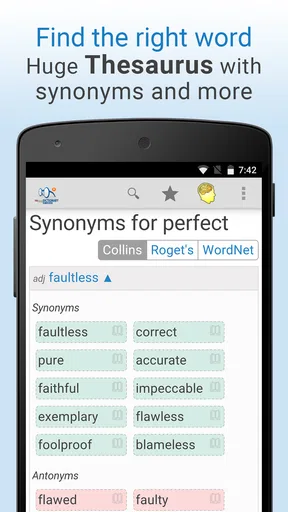
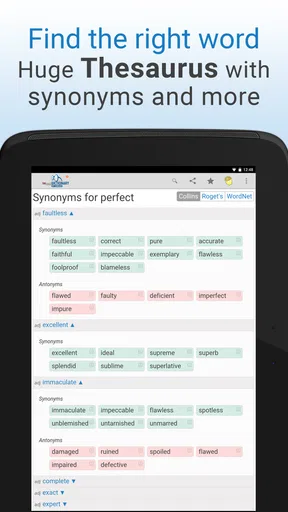
For a draft, I’d use the thesaurus as a prompt, not as an automatic replacement tool. Synonyms often differ in strength, formality, or implication. If I’m revising a sentence, I compare the suggested alternatives with the original meaning and read the whole sentence aloud before choosing one. That small step avoids the familiar problem of a technically related word sounding wrong in context.
Who will get the most from it
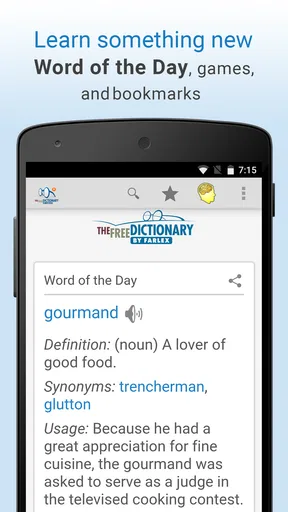
Readers who frequently meet unfamiliar vocabulary, students checking word meanings, and writers who want a definition and related terms in one place have a clear reason to keep it handy. The Word of the Day can also suit someone who enjoys a small, low-pressure vocabulary prompt. Bookmarks are useful when a lookup is part of a longer task: I can save a term from a reading assignment and return to it later instead of searching for it again.
On the other hand, I would not choose this as my only tool for translating full passages, learning grammar step by step, or verifying specialist terminology where a field-specific reference matters. A free web dictionary may be enough for someone who looks up a word only occasionally. The $9.99 price makes more sense if the combination of reference tools and offline access will be used regularly, rather than if the app is likely to sit untouched after a few searches.
There is also a useful distinction between “offline” and “always complete.” Before depending on any downloaded reference for a particular language or subject, I’d test a few representative terms while the phone is disconnected. That quick check tells me whether my planned use is covered and prevents a frustrating surprise in the middle of a journey or study session.
First Impressions and User Interface
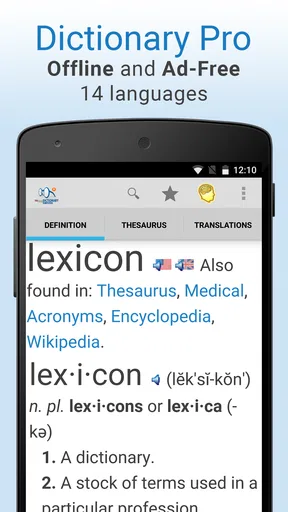
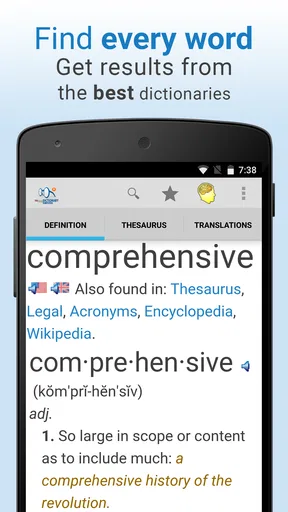
When you first launch Dictionary Pro, you’re greeted with a clean and intuitive interface. It’s not cluttered with unnecessary frills, which means you can focus on finding the words you need without distractions. The search bar is right at the top, making it super easy to jump right into your word search. I appreciate the minimalistic design because, let's be honest, no one wants to navigate a maze just to find a definition.
Features Worth Highlighting
Dictionary Pro offers a plethora of features that go beyond the basic definitions. You’ve got your standard definitions, of course, but it also includes:
- Thesaurus: Perfect for when you need that perfect synonym or antonym.
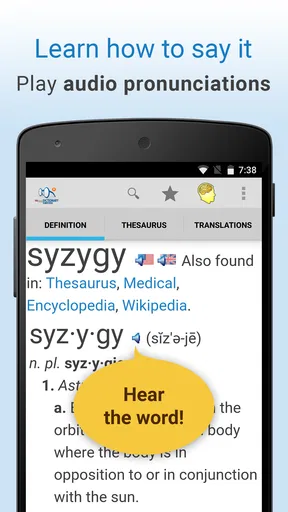
- Pronunciations: Audio pronunciations help you nail even the most complex words.
- Word of the Day: Keeps your vocabulary fresh and growing.
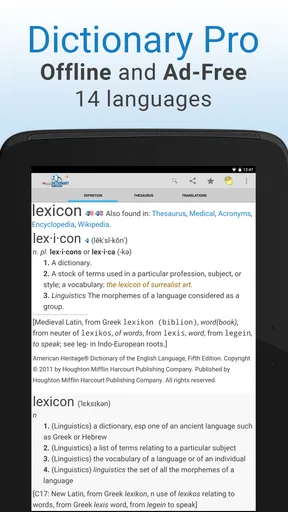
- Offline Access: A lifesaver for those times when you’re off the grid.
The offline feature is particularly handy. Have you ever been in a no-signal zone and needed a definition? With this app, that’s never an issue. Just make sure to download the necessary data before you go off the network.
Performance and Usability
The app runs smoothly on both Android and iOS devices. I haven’t encountered any lags or crashes, which is crucial for an app you rely on for quick information. The search feature is fast and responsive, pulling up results almost instantly. It’s also great that you can bookmark words for quick access later.
One of my favorite things is the auto-suggestion feature. Start typing a word, and it offers suggestions based on what you’ve typed so far. This is a neat little time-saver, especially when you’re unsure of the spelling.
Educational Value
For students and educators, Dictionary Pro is a fantastic tool. The app doesn’t just help with vocabulary; it also provides detailed word etymologies, usage examples, and even historical contexts. This is invaluable for anyone looking to deepen their understanding of the English language.
Moreover, the app supports multiple languages, not just English. So if you’re learning a new language, this can be a great companion to help you with translations and understanding new words.
Personal Experience and Opinion
Personally, I’ve found myself using Dictionary Pro more than I initially thought I would. Whether I’m writing an article or just reading a book, it’s become a trusty sidekick. The app's design and functionality make it a joy to use. I genuinely feel like it’s made me more articulate and confident in my word choices.
For a realistic day-to-day example, imagine reading on a commute and finding a term that changes the point of a paragraph. I’d save it to bookmarks after checking its meaning, then revisit it later with the surrounding passage in front of me. That second look matters: a word can have several senses, and the right one depends on how the author used it. Bookmarks turn a passing curiosity into a short review list instead of leaving me to rely on memory.
The same approach works for a student reading a course text. Rather than interrupting every few lines to chase related vocabulary, I’d look up only the words that block understanding, bookmark the most important ones, and return after finishing the section. That keeps the reading moving while creating a manageable set of terms to review. It is a more useful habit than collecting every unfamiliar word indiscriminately.
For pronunciation, I’d use the audio as a confidence check before saying a word in class, a meeting, or a conversation. Listening once can settle the broad sound, but it does not necessarily teach every accent or conversational nuance. If the word is important in a presentation, I’d listen and repeat it, then pay attention to its stress in the whole sentence rather than assuming that knowing the individual sounds is enough.
One trade-off with a large reference tool is that having several kinds of information does not remove the need to judge relevance. A thesaurus suggestion may be close in meaning but wrong for a formal email; an etymology can be interesting without helping with the sentence at hand. I get the most value when I decide what I need before opening an entry—meaning, spelling help, pronunciation, or a wording alternative—and stop once that question is answered.
Compared with a basic dictionary already built into a phone or browser, this app’s appeal is the collection of reference functions and the option to prepare for offline lookups. The built-in alternative may be quicker if all I need is one familiar definition, while a specialist dictionary can be more appropriate for legal, medical, or technical language. Dictionary Pro sits between those choices: broader than a bare lookup, but not a replacement for a subject-specific authority or a structured language-learning course.
It is also worth thinking about how you use the 13-language coverage. Someone moving between languages while reading or studying may appreciate having several language resources within one app, but a learner who needs lessons, exercises, or detailed grammar explanations should pair it with a dedicated learning tool. I would use this app to clarify individual words and keep reading, not expect it to build fluency on its own.
The practical setup question is straightforward: can you use it when you need it? The app is listed for Android with a minimum operating-system requirement of 6.0, and its current version is 16.0.2. It is rated for Everyone. Before making it part of a regular study routine, I’d check that the device meets the requirement and test the searches and offline material I expect to rely on. That is especially sensible for a first-time user who plans to take it on a trip or use it away from Wi-Fi.
Its store average is 4.8, with around 9,200 ratings and 1,600 written reviews, and it has over 50,000 installs. Those figures suggest that it has found an audience, but I would still judge it by my own routine: a paid dictionary is worthwhile when its extra reference options save time repeatedly, not merely because it has a strong store score. If my searches are rare and simple, a free alternative may be the more sensible choice.
Would I recommend it? Absolutely! If you’re someone who values an expansive vocabulary or just needs a reliable dictionary, this app is worth checking out. It blends functionality with a user-friendly interface beautifully.
In conclusion, Dictionary Pro is a stellar app that delivers on its promises. It’s packed with features that cater to word enthusiasts and casual users alike. So, go ahead, download it, and let it be your guide in the vast world of words. Happy learning!
Verdict
Strengths of Dictionary Pro
- User-friendly interface makes navigation easy.
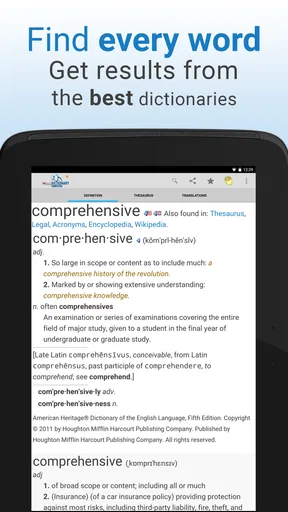
- Extensive word database covers multiple languages.
- Offline mode available for use without internet.
- Audio pronunciation helps with correct enunciation.
- Regular updates ensure fresh and accurate content.
Limitations of Dictionary Pro
- No dark mode for night-time reading.
- Limited customization options for themes.
- Some features require in-app purchases.
- Occasional ads can interrupt usage.
- Pronunciation feature requires internet connection.
Similar Picks in This Category
View All
Google Play Books & Audiobooks
Google LLC4.7

네이버 - NAVER
NAVER Corp.3.5

Wattpad - Read & Write Stories
Wattpad.com3.7

King James Bible - Verse+Audio
Ozion4.8

Bible Offline-KJV Holy Bible
Bíblia Offline4.9

Amazon Kindle: Reading App
Amazon Mobile LLC4.8
Frequently Asked Questions
What features does Dictionary Pro offer that make it stand out from other dictionary apps?
Dictionary Pro offers a comprehensive set of features including offline access, a vast database of words, pronunciations, synonyms, antonyms, and example sentences. Additionally, it supports multiple languages and includes a word-of-the-day feature to enhance vocabulary. The app is ad-free, providing a seamless experience for users who prefer a distraction-free interface.
Is Dictionary Pro available for both Android and iOS devices?
Yes, Dictionary Pro is available for download on both Android and iOS platforms. Users can find the app on the Google Play Store for Android devices and the Apple App Store for iOS devices. This cross-platform availability ensures that most smartphone users can benefit from its features, regardless of their device preference.
Does Dictionary Pro require an internet connection to function?
No, one of the standout features of Dictionary Pro is its offline functionality. Users can access the entire dictionary database without needing an internet connection, making it highly convenient for use in areas with limited connectivity or when traveling. However, some features like language updates might require connectivity.
Are there any in-app purchases or subscription fees associated with Dictionary Pro?
Dictionary Pro is a one-time purchase app, meaning users pay once to download and enjoy all its features without recurring subscription fees. This model is ideal for users who want a comprehensive dictionary app without ongoing costs or the annoyance of in-app purchases for additional features.
How user-friendly is Dictionary Pro for individuals new to using digital dictionaries?
Dictionary Pro is designed with user-friendliness in mind, making it suitable for individuals new to digital dictionaries. The interface is intuitive, with easy navigation and clear instructions. It includes helpful features like voice search and a history log, allowing users to quickly find and review words they’ve looked up previously.
